
DEVELOPMENT / TEAM SCRATCHPAD
Give the Next Session Somewhere to Start
Keep the current result, supporting evidence and next step in a shared workspace. When a person or agent continues the task, they can see what is ready, what is blocked and what still needs checking.
OUR WAY OF WORKING
A Task Can Continue After the Conversation Ends
We use a shared scratchpad while developing Lorebo to carry useful working context between people, agents and sessions.
SCATTERED CONTEXT
The Next Step Is Buried
A conversation contains questions, attempts and changing plans. Someone joining later needs a much smaller set of facts: the result they can use, the unfinished dependency and the next action. Finding that state across several conversations takes work before the task can continue.
UNCLEAR COMPLETION
“Done” Leaves Too Much Unsaid
A change may be written but untested. A check may pass while another source is unavailable. A handoff may be prepared before anyone has picked it up. If those differences disappear from the summary, the next participant can start from the wrong assumption.
ONE SHARED RECORD
Keep the State Someone Can Continue From
We keep one shared record for each task or issue. It names the owner, the current result, what was checked and what remains uncertain, followed by one next action. People and agents update that record as work continues.
Lasting decisions and explanations go to the project or reference base that owns them. The scratchpad links to those facts and keeps only the working context needed to continue.
WHY IT WORKS
Make the Handoff Useful to the Next Person
A few explicit fields answer the questions that matter when work changes hands.
CURRENT STATE
Find the Current State
Read one task record for its owner, state, affected project and last update. Separate records keep unrelated work out of one long log, so the next participant can find the active task and see where it stands.
EVIDENCE AND LIMITS
Know What Was Verified
Keep a file, report or knowledge reference beside the result. Separate confirmed facts from assumptions and failed checks, so the next participant knows what was verified and what still needs another look.
CLEAR CONTINUATION
Leave a Next Action
Name the dependency, next step and the check that would complete it. Keep acknowledgement explicit, then archive after it arrives or the owner closes the handoff.
TRY IT YOURSELF
Start with One Real Handoff
Try Team Scratchpad with one unfinished task and continue from a fresh session. Need to install Lorebo or connect your agent? Get Started
Find Team Scratchpad in Templates → Development in Lorebo Desktop. Download it and apply it to a writable base, then open Scratchpad Rules and Templates.
Choose an unfinished task with your agent. Save its current result, evidence and one next action under a Work key, keeping unknown facts and ownership clear.
Start a fresh session and ask your agent to find the Work key. Read the evidence, complete the next permitted check and save the result in the same record.
Frequently Asked Questions
Good to Know
Can I start in Free?
Yes. Check that your active local base is empty and writable, then choose Replace Active Base. Lorebo creates a backup before replacement. Pro also offers Register Base and Merge.
What’s in the template?
Eight English notes covering handoffs, issues, concurrent editing, review, closure and upgrades, with two reusable record templates. Saved work records stay in English; you can discuss the task in your own language. You begin without live tasks or another team’s history.
How do agents find the work?
Tell your agent to open Scratchpad Rules and Templates, read active tasks at session start and search the Work key before saving. Your project instructions make this a repeatable habit. MCP Setup Instructions
Will it assign work or send reminders?
People and agents maintain the records. An owner field records accepted responsibility; a review date asks for attention. Neither creates assignments, notifications or scheduled jobs.
Does Activate make the template writable?
Activate opens the downloaded template read-only. To save handoffs, apply it to your own writable base as shown in Try It Yourself
When should I close a handoff?
Mark it resolved after the required result is checked. Keep it active until the recipient acknowledges it or the owner explicitly closes it, then archive it. Lasting findings belong in their project base.
Can several agents work in it?
Yes, with authorized access to the same writable base. Each agent reads the latest record before updating it and reconciles conflicting edits. An owner field is not an editing lock.
Will an update overwrite my work?
Your copy remains independent. Back it up before applying scaffold changes. Merge preserves existing work and reports changed same-ID notes as conflicts; reconcile those notes deliberately.
Explore More
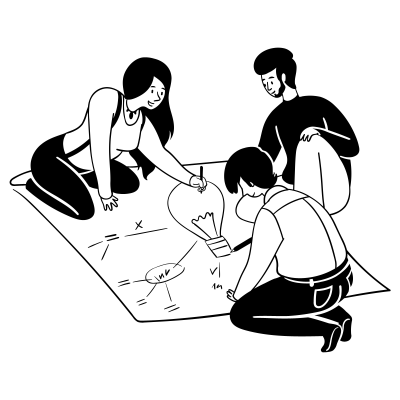
Start with one unfinished task. Save its state and next step so the next session can continue.